



.svg)
.svg)
.svg%201.svg)



Get Business Email
No domain name required
Create .tk Email
With Neo!

Have you registered your .tk domain name and are looking for business email hosting platforms? The .tk is a ccTLD (country-code top-level domain) assigned to Tokelau, a small island territory in the South Pacific. The domain name registration is just a step in your journey to create a digital presence for your business. Now, you need to find a platform that supports business email hosting and website hosting, so you can set up professional email addresses, launch your website, and manage everything in one place.
Neo Mail is a platform that provides a .tk email address and an AI website that you can launch and maintain easily. Let’s understand how.
Create a .tk email address if you have a domain name.
Neo Mail is a business email platform that helps small businesses and professionals set up their digital presence. With cost-effective annual plans and a range of features that are necessary for any business or professional to start their online journey, Neo Mail is a suitable tool that should be in your stack. Let’s understand how you can create your .tk email address.
Step 1. Click on the Get Started button.
Open Neo Mail’s business email website, and then click on the Get Started button in the top right corner.

Step 2. Select Yes, I have a domain I can use option.
Since you already have a domain name registered, you need to click on Yes, I have a domain I can use option to create your .tk email address.
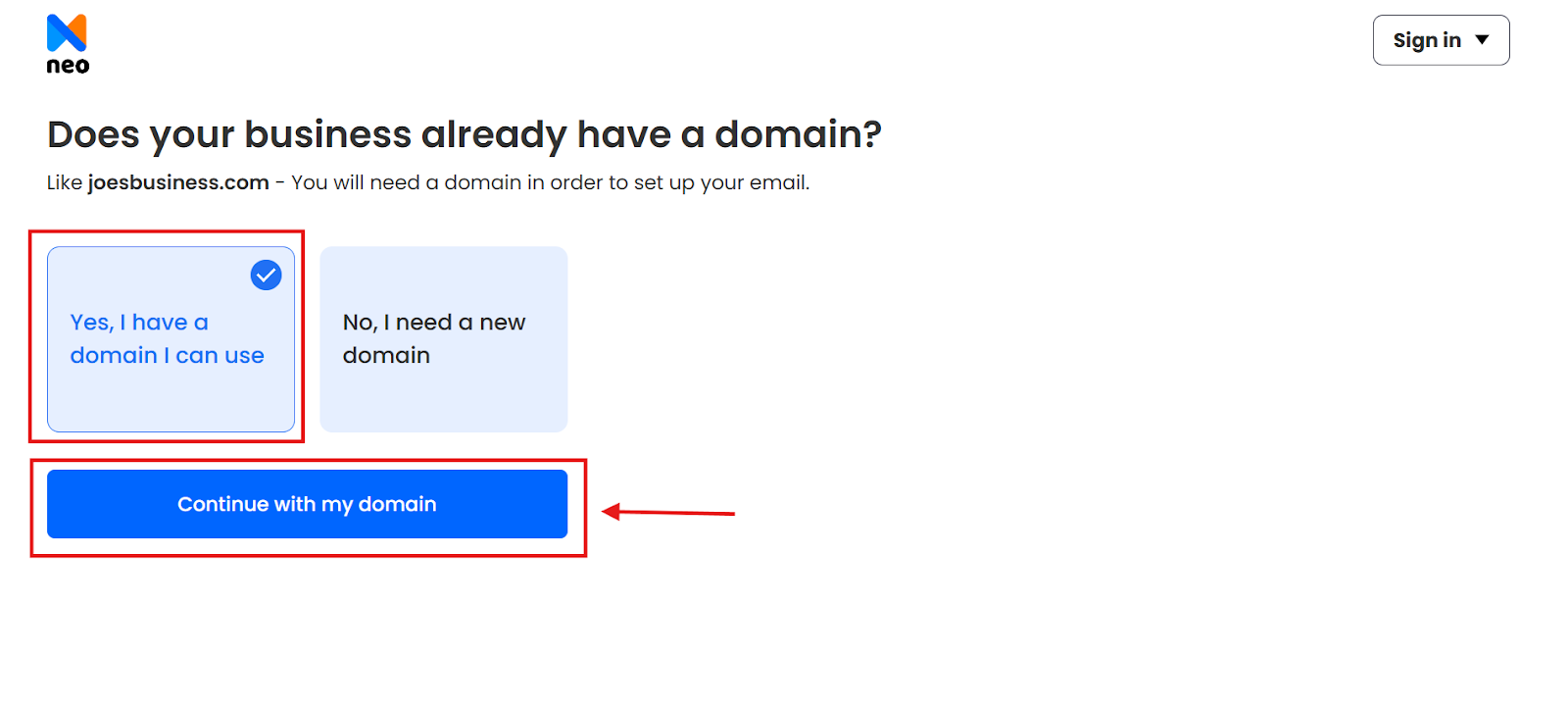
Step 3. Enter your registered domain name
Enter your registered domain name. Neo Mail will quickly verify the ownership as you click on the Continue button.

Step 4. Create your customer account with Neo Mail.
Sign up for Neo Mail to create your customer account that will help in managing the subscription and billings.

Step 5. That’s it! Create your .tk email address.
Now, you can configure your business email account, the admin account. Start by creating the .tk email address for the admin account, then you can create email addresses for your team members, email aliases, and a catch-all account.
After this, choose a Neo Mail plan and then start using Neo Mail during the 15-day free trial period.
Create a professional email address if you don’t have a .tk domain name
Don’t have a domain name? Don’t worry, because Neo Mail has got you. If the .tk domain name is a bit expensive to register, it is unavailable for registration, or you are looking for a cost-effective alternative, Neo Mail has the perfect solution: A free domain name registration with .co.site domain extension.
Let’s understand how you can register your free domain name and get a professional email address:
Step 1. Click on Get Started.
Visit Neo Mail’s business email website, and click on the Get Started button.
Step 2. Select No, I need a domain name option this time.
To avail your free domain name, you need to click on the second option this time, which is No, I need a domain name.
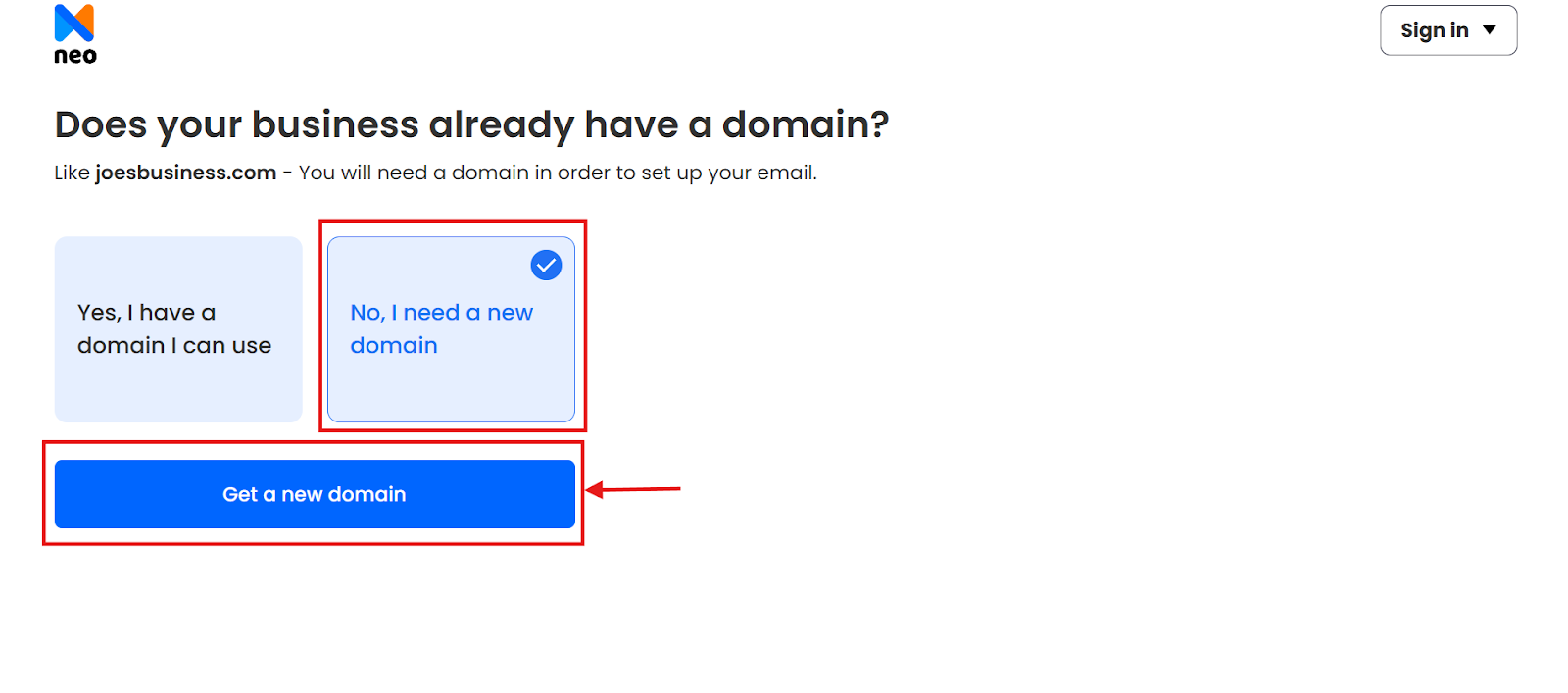
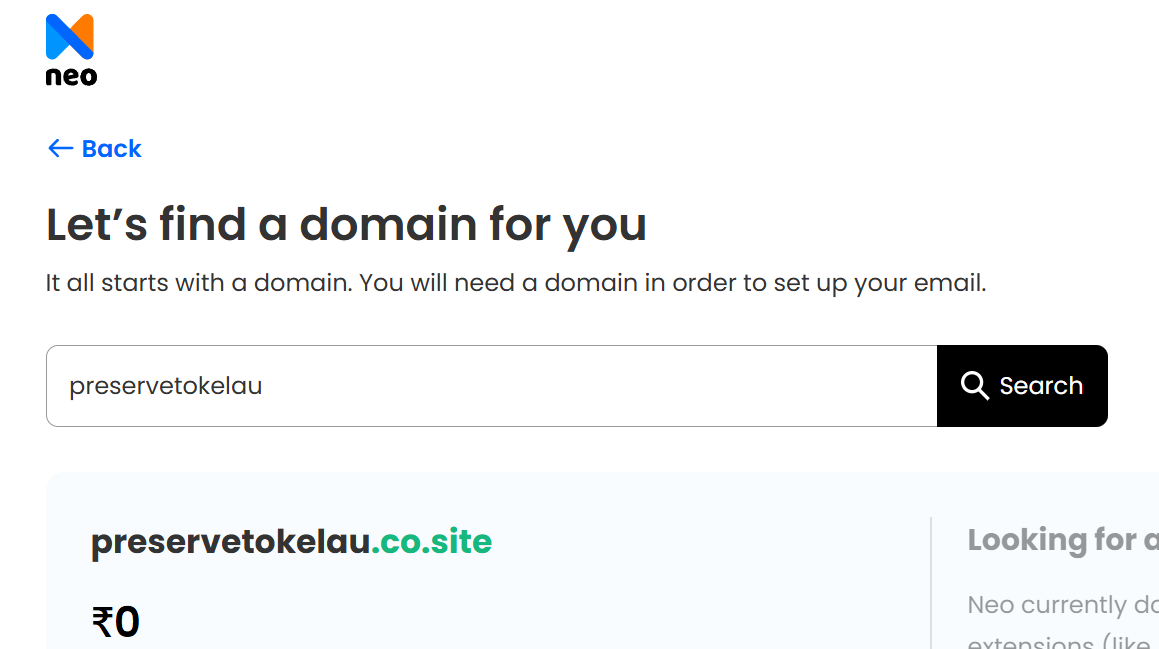
Step 3. Enter your desired domain name.
Enter your desired domain name, and click on the Get domain button.
Step 4. Create your Neo Mail account.
Enter your name, existing email address, and set up a password to create your account with Neo Mail. This account will help in managing the billing, mailboxes, and domain name renewal.

Step 5. Create your professional email address.
That’s it! Now, you can configure your admin mailbox and create a professional email address, like admin@preservetokelau.co.site. Complete the rest of the procedure, which includes selecting a Neo Mail plan (go for the Max plan to get an AI-powered email writing tool and other advanced features) and entering the payment details.
Now, you can use Neo Mail for 15 days for free without any restrictions.
How to deploy a website for my registered domain name?
If you have registered your .tk or .co.site domain name, and are looking to deploy a website to boost your digital image? Neo Mail AI-powered website builder will make it easy and cost-efficient for you to create a website for your brand. Let’s see how:
Step 1. Visit the Neo Mail AI website builder and click on Try it yourself for free.
Step 2. Type in your industry name.
Step 3. Enter a small description about your brand. (Remember, this will act as a prompt, so your website will be created on the basis of the description you enter.)
Step 4. Click on Generate Site.
Now, the Neo Mail AI website builder will provide a range of generated templates with content tailored for your brand. Select a design that visually looks good and edit with a drag-and-drop builder to make it personalized. You can add keywords in the description, change the banner headline, add your products and create an SEO-friendly description, and even optimize the structure as per your needs.
You can launch it by clicking on the Publish button, and managing the website is also easy with Neo Mail. You can make the changes in the structure or content, and the changes will be visible in real-time after you click the Publish button.
The Bottom Line
Whether you have an existing .tk domain or you're just beginning, it's never been simpler to create a .tk email address. Neo Mail simplifies the process so that you can establish a business email without the technical hassles.
With millions of .tk domains in use, this ccTLD is not only the world's most registered country domain but also one of the most affordable for small businesses and individuals. A .tk email address allows you to portray your identity, idea, or venture with a dash of individuality and affordability.
So go ahead, register your .tk or .co.site domain name and have your custom email live today. Whether you're starting an eCommerce site, creating a personal brand, or just testing, Neo Mail is a good place to start.
FAQs
1. Can I use my .tk domain with any email provider?
Yes, provided that the provider supports custom domain integration, like Neo Mail. You'll simply need to authenticate your domain by modifying DNS records (such as MX or TXT) through your domain registrar's control panel.
2. Will my .tk email no longer work if registrar takes back the domain?
Yes. If the registrar suspends or takes back your domain, your email address associated with the domain will no longer function. To prevent this, obey registrar's guidelines and keep your domain active by renewing it before it expires.
3. Can I upgrade from a .tk domain to a paid one later?
You can. If you prefer paid .tk domains with greater control and fewer restrictions, there are domain registrars that provide them. This might be helpful if you desire greater ownership rights or improved support for things like SSL certificates and business use.
4. Does Neo Mail offer a free trial?
Yes, Neo Mail offers a 15-day free trial period. This allows you to explore features, configure your business email, and test the platform before choosing a plan.
Get Business Email
No domain name required
Create .tk Email
With Neo!
