


.svg)
.svg)
.svg%201.svg)



Get Business Email
No domain name required
Create .us Email
Get yourname@yourdomain.us ID

Key Takeaways
- How to get a .us email address: Getting one means buying a .us domain like yourname.us, then linking it to an email service. Neo Mail is a good fit for freelancers and small shops that want to start fast. It starts at $1.25 per mailbox per month on the 4-yearly plan, with a 15-day free trial.
- Other email services for a .us domain: Google Workspace suits teams that live in Docs and Meet. Microsoft 365 is ideal for Office users, and Proton Mail is apt for end-to-end encryption.
- The catch with .us email addresses: Only people and groups with a real US presence can register .us. Your name and phone number also go into a public directory.
- What people get wrong about .us email: Many think .us means government, but that's .gov. Many also hunt for a free .us email; the domain always costs money.
What Is a .us Email Address?
A .us email address is an email address whose domain ends in .us, the country-code domain of the United States. You get one by registering a .us domain and connecting it to an email service.
The ".us" part sits after the @ sign and the dot. It shows that the owner is based in the United States. It says nothing about which company hosts the email. A plumber in Ohio and a design studio in Texas can both use .us, with any email service they like.
Here are three examples of .us email addresses:
- you@lastname.us, a personal address on your family name
- hello@shopname.us, a general inbox for an online store
- info@cityplumbing.us, a contact address for a local service business
The .us domain is managed under the National Telecommunications and Information Administration (NTIA), part of the US Department of Commerce. A private company runs the registry under contract. For the history and rules of the domain itself, see our guide to the .us domain.
A .us address looks a lot like other American addresses, so the next question is how it differs from them.
How Is a .us Address Different From @usa.com, .com and .gov Addresses?
A .us address uses a domain you own, while @usa.com is a free address on Mail.com's own .com domain. Anyone can sign up for @usa.com in a few minutes. You don't need a US presence, and you don't pay. You also don't own the domain, so you can't take the address with you.
A .gov address is different again. Only US government bodies can use .gov, and US military email ends in .mil. The .us domain is not a government domain. Businesses, families and individuals use it every day. This matters when you read your inbox, too. A .us or @usa.com email that claims to come from a federal agency is a red flag. Real agency mail comes from .gov.
A .com address on your own domain works the same way as .us. You register the domain and connect it to an email service. The main differences are the rules. Anyone in the world can register a .com, and most registrars hide your contact details for free. A .us domain has a residency rule and no privacy option. The name you want is often easier to find on .us, since .com has been crowded for decades.
Knowing what a .us address is leads to the question most people ask next: will others trust it?
Is a .us Email Address Legit and Trusted?
A .us email address is legit. The .us domain is an official top-level domain, and its email works like any other. The catch is its reputation: scammers have used cheap .us domains for phishing.
The numbers explain the concern. The Interisle Consulting Group studied 6 million phishing reports from May 2022 to April 2023. It found about 30,000 .us domains used for phishing (Source: Interisle Phishing Landscape 2023). That doesn't make your address a scam, but spam filters may watch new .us senders more closely.
Poor setup makes this worse. One user on Reddit's r/Domains said their .us.com mail "was getting flagged and dropped constantly," even with SPF, DKIM and DMARC in place. A .us.com name isn't .us, but the lesson carries over: reputation and setup work together.
Three things make your .us address look trusted to people and to spam filters:
- Authentication records: SPF, DKIM and DMARC are DNS settings that prove your emails really come from you.
- A real website on the domain: a working site shows the domain belongs to a real business or person.
- Steady sending: start with normal, personal emails, not large batches, so your domain builds a good history.
Neo Mail includes custom DKIM and advanced anti-spam on every plan. That covers part of the first point.
Trust also depends on who owns the domain, so the next question is who is allowed to register a .us domain at all.
Who Can Get a .us Email Address?
A .us email address is open to anyone who meets the .us nexus rule, the US-presence requirement for registering the domain. The rule covers four groups:
- US citizens
- Permanent residents of the United States
- Organizations formed in the United States
- Foreign groups with a real, lasting presence in the US, such as regular business activity there
The full rules are in the NTIA's .us nexus requirements. You confirm your category when you register the domain.
People outside the US can get a .us email address only if they have a genuine US presence. Giving false details is risky. A user on Reddit's r/webhosting warned that "if you put in fake information your domain can be suspended." A suspended domain stops your email, too.
Once you know you qualify, the next question is what a .us email address will cost you.
How Do You Set Up a .us Email Address With Neo Mail?
If you already own a .us domain, you can connect it to Neo Mail and create email addresses for yourself or your team. Register the .us domain at a domain registrar first. The free domain that comes with every Neo Mail plan is a regular domain, not a .us one. You still need to meet the nexus rule to register .us.
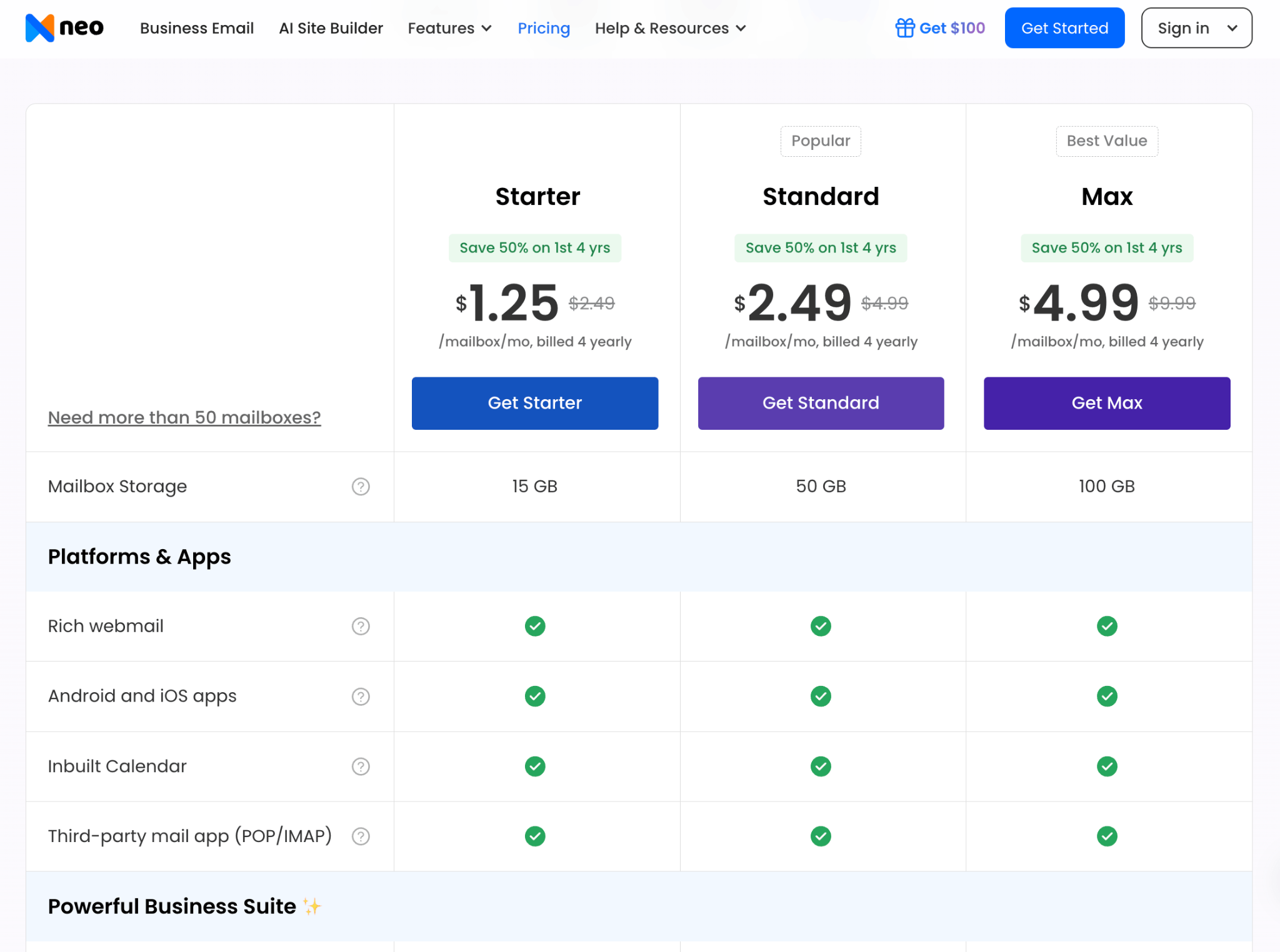
Neo Mail suits freelancers, consultants and small US businesses that want a .us address running quickly. Plans start at $1.25 per mailbox per month on the 4-yearly plan, with a 15-day free trial.
Follow these five steps:
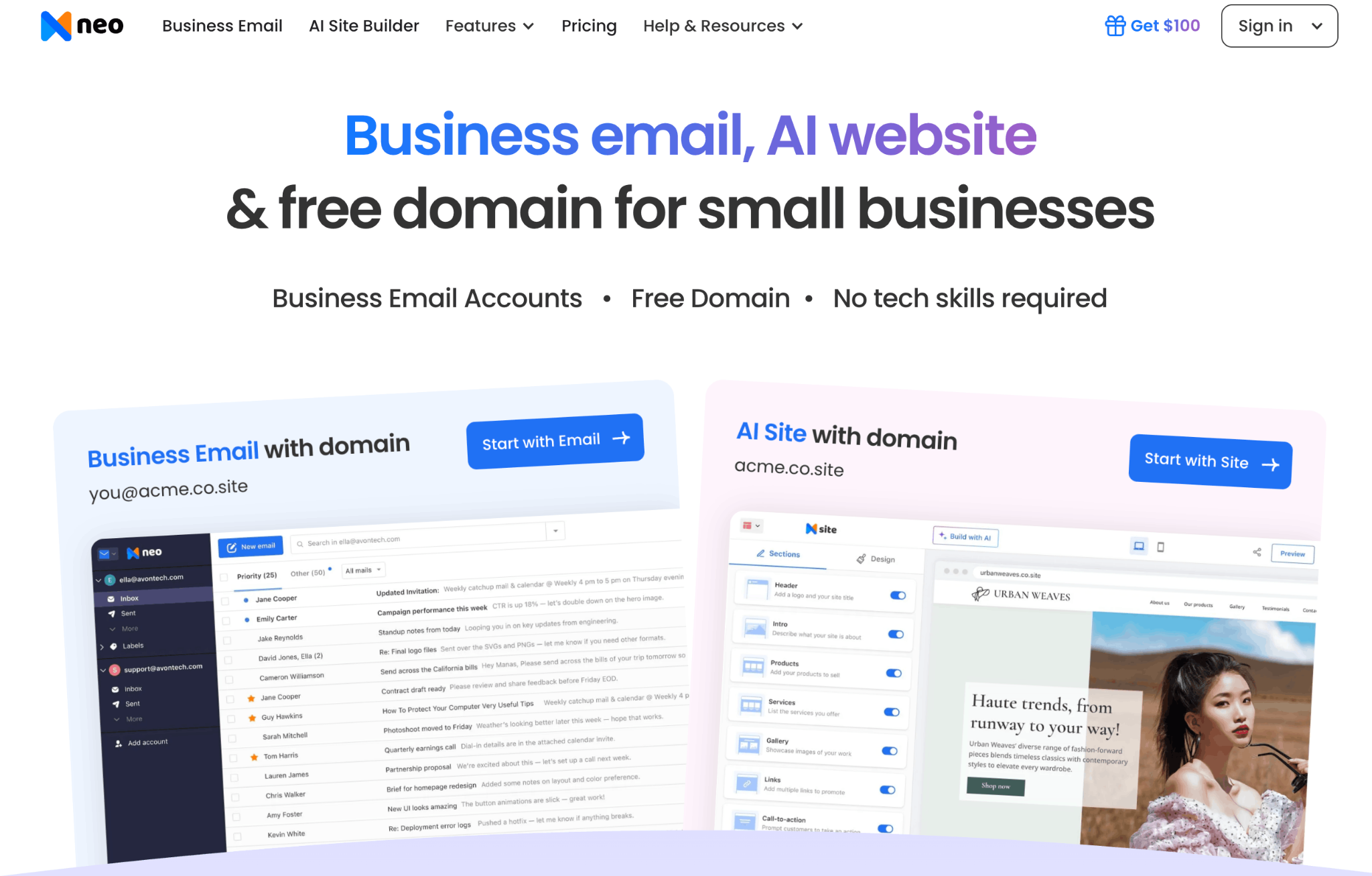
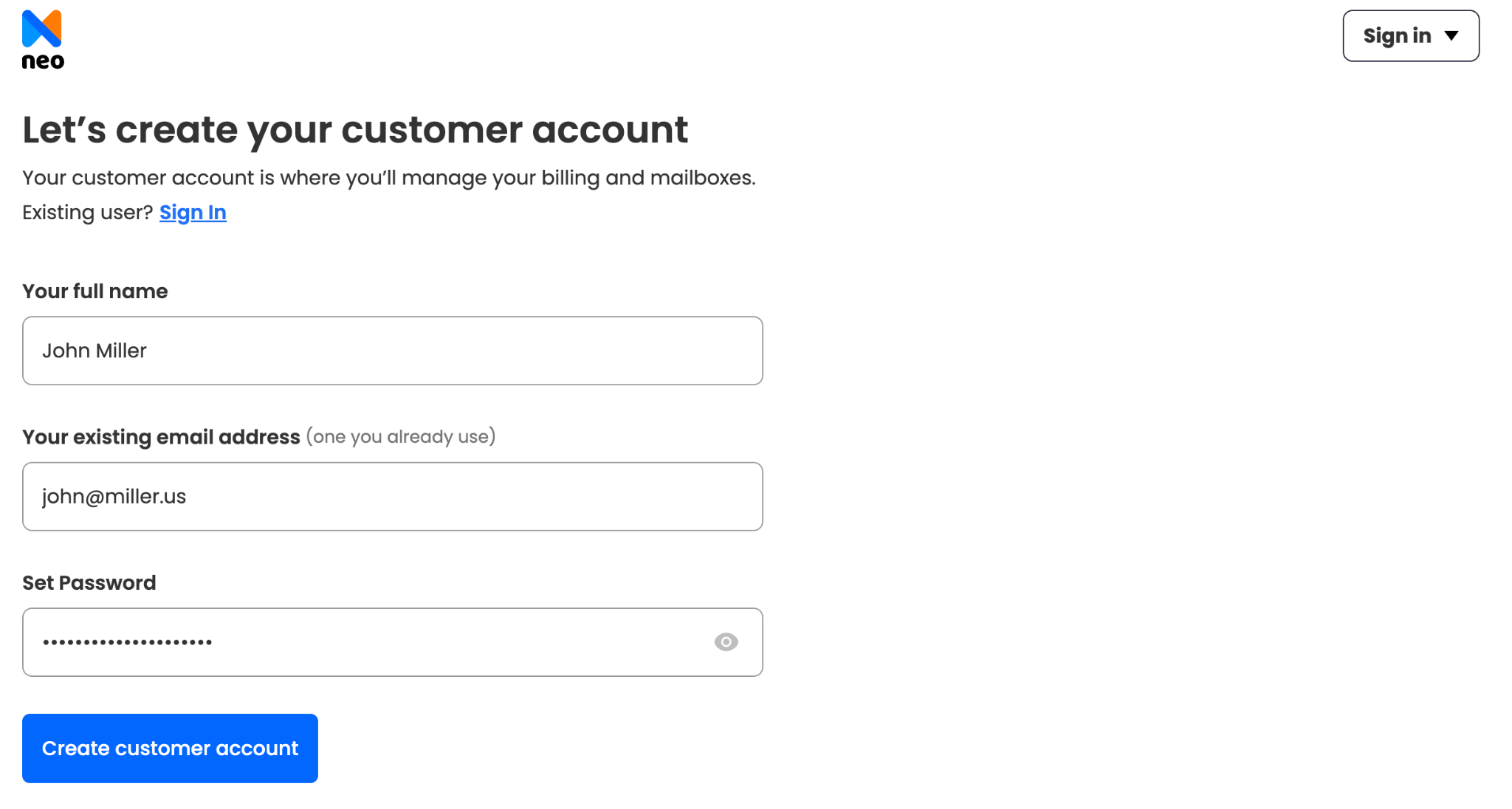
1. Sign up for Neo Mail: Create an account on the Neo Mail website with your name and a current email address.
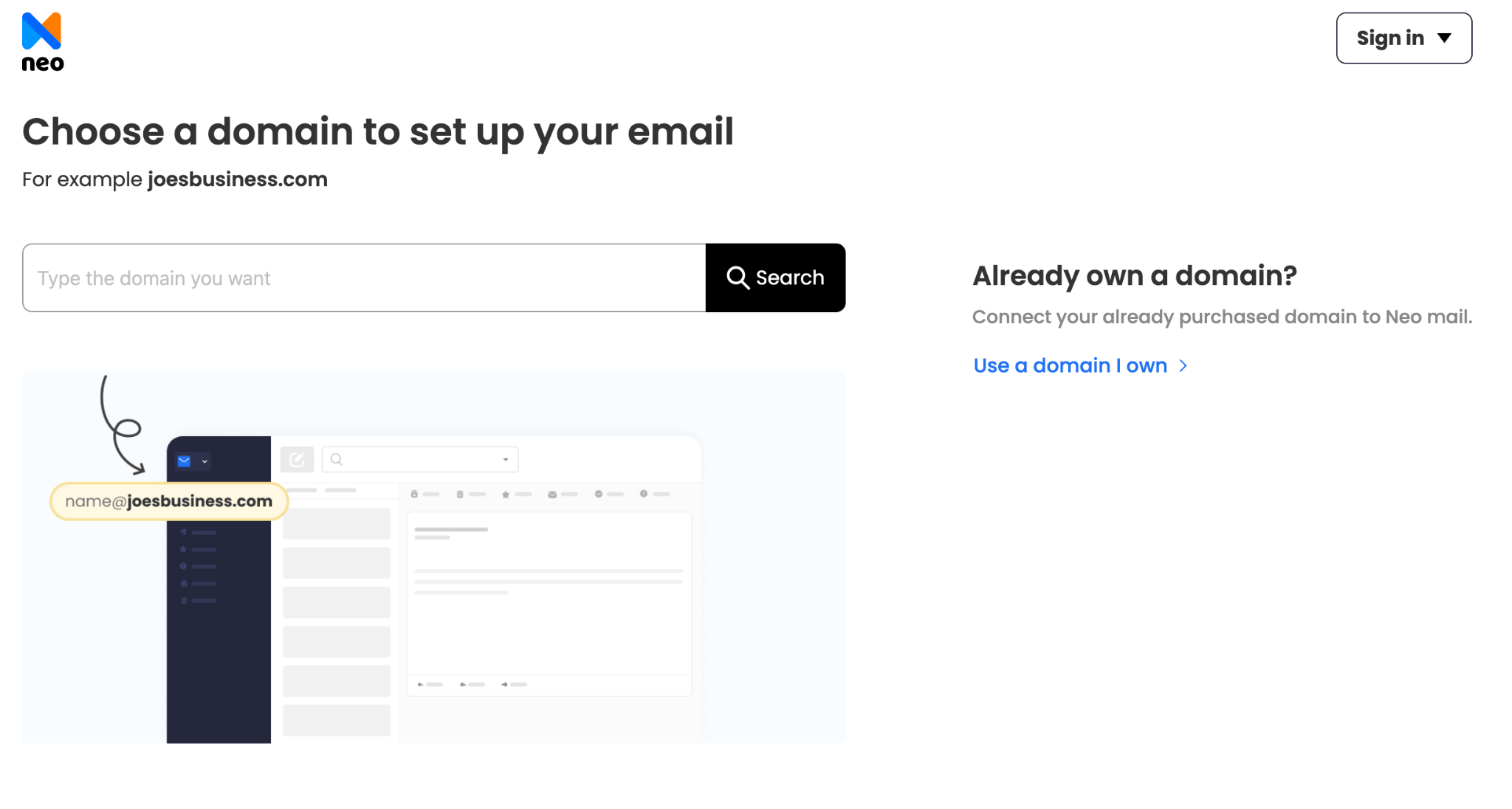
2. Connect your .us domain: Choose the option to use a domain you already own. Then add the DNS records Neo Mail gives you on your registrar's DNS page. These include
3. Create the main mailbox: Set up a primary address, such as you@lastname.us for personal use or hello@shopname.us for customers.
4. Add more mailboxes: Create addresses for staff or tasks, such as sales@shopname.us, support@shopname.us or billing@shopname.us.
5. Choose a plan and complete payment: Pick the plan with the storage and features
Before you start, make sure you can log in to your registrar's DNS page, since Step 2 happens there.
How Much Does a .us Email Address Cost, and Can You Get One Free?
A .us email address costs two things: a yearly fee for the .us domain and a monthly fee for each mailbox. There is no free .us email address, because someone has to pay to register the domain.
The domain is the cheaper part. A .us domain renews at about $7 per year at the registrars we checked, and first-year sales can be lower. Prices change often, so check the renewal price before you buy, not just the first-year deal.
The mailbox is the part you pay for each month. Neo Mail starts at $1.25 per mailbox per month on the 4-yearly plan. Your yearly total is the domain fee plus twelve months of mailbox fees for each person.
Neo Mail's research team verified these prices in September 2026, on each provider's official pricing page.
The only free "American" option is @usa.com from Mail.com. It costs nothing, but it isn't a .us address and you don't own it.
Price isn't the only cost of a .us domain, though. The next section covers one you pay in privacy.
What Should You Know Before You Register a .us Domain for Email?
A .us domain puts your contact details in public. The .us rules ban privacy services. Your name, address, phone and email appear in WHOIS, the public directory of domain owners. The registry's own privacy services policy still bans proxy registration in 2026.
The NTIA proposed changes to this rule in a 2023 Federal Register notice on .us registrant privacy. The ban was still in place when we checked in September 2026.
Public details bring spam fast. One user on Reddit's r/webhosting wrote: "Registered a .us domain and now getting a ton of spam." Sales calls, texts and fake invoices are common in the first weeks.
A simple plan cuts the noise. Use real details that you are comfortable making public, such as a business address and a separate phone number. Don't use fake details, since those can get the domain suspended.
With those trade-offs clear, the next step is to create your .us email address and get it working.
How Do You Create a .us Email Address?
You create a .us email address in six steps, and the whole process usually fits in one afternoon:
- Check that you qualify.
- Register the .us domain.
- Choose an email service.
- Connect the domain with DNS records.
- Create the mailbox and password.
- Set it up on your devices and test it.
Step 1: Check That You Meet the US-Presence Rule
The first step is to confirm you fit one of the four nexus groups listed earlier. Registrars ask you to pick your category at checkout. If none of the groups fits you, a .com domain gives you the same kind of address without the rule. Settle this before you pay.
Step 2: Register Your .us Domain
The second step is to buy the domain from a domain registrar. Search for the name you want, pick your nexus category and pay for at least one year. Keep the name short and easy to spell. Avoid hyphens, numbers that sound like words and names that look like a government office. Use the public contact details you chose earlier.
Step 3: Choose an Email Service for Your .us Domain
The third step is to pick a business email provider and sign up directly with it, not as an add-on from your registrar. Registrar email is often resold, with fewer features.
- Neo Mail: a good fit for freelancers, consultants and small shops that want a .us address running quickly. Plans include Read Receipts, a free AI website and a mobile app. You can try Neo Mail free for 15 days.
- Google Workspace: right for teams that need Docs, Sheets and Meet next to email.
- Microsoft 365: suited to businesses that already work in Word, Excel and Outlook.
- Proton Mail: ideal for people who handle sensitive data and want end-to-end encryption.
More than half (53%) of Neo Mail's customers come from the US.
Step 4: Point Your Domain to Your Email Service With DNS Records
The fourth step is to add DNS records, the settings that tell the internet how to handle your domain. Your email service gives you the exact values. You add them in your registrar's DNS page:
- MX records: tell the internet where to deliver your email.
- SPF record: lists the servers allowed to send email for your domain.
- DKIM record: adds a digital signature that proves an email wasn't changed.
- DMARC record: tells receiving servers what to do with emails that fail the other checks.
These are the same records that build trust for a new .us sender.
Step 5: Create Your Mailbox and Password
The fifth step is to create the mailbox in your email service's admin panel. Choose an address format that fits its use, such as you@yourname.us for yourself or hello@shopname.us for customers. Then set a strong password of at least 12 characters. Turn on two-factor authentication, a second login check through your phone, on day one.
Step 6: Set up Your .us Email on Your Phone and in Outlook, Then Test It
The sixth step is to add the account to the apps you use every day. Your email service's own app is the easiest route. You can also add it in iPhone Mail, the Gmail app on Android or Microsoft Outlook with your address and password.
Then test it. Send an email to a Gmail address and reply to it. Next, run a free check with a tool such as MXToolbox. It confirms your MX, SPF and DMARC records are live.
2 minutes is the Neo Mail's average time from connecting a domain to the first email sent
FAQs
Is a .us Email Address Good for a Small Business?
Yes. A .us email address works well for a US-focused small business that wants a short, local-looking address. It suits shops, trades and service firms that sell mainly in the United States. The trade-offs are public WHOIS details and the need to set up SPF, DKIM and DMARC. Our guide to the .us domain covers its website and search questions.
.us vs .com Email Address: Which Should I Choose?
A .com address is the safer default for most people, because readers know it well and it allows WHOIS privacy. A .us address is often easier to get with a short name, and it signals a US base. Both work the same way for email. The comparison table in this guide sets the two side by side.
Should I Get Email From the Registrar Where I Bought My .us Domain?
No. Buying email from your registrar is not recommended. Registrars focus on domains, and their email is often a resold add-on with fewer features. Support goes through the reseller, and spam protection is often weaker. A dedicated business email provider gives you better tools and direct help.
What Should You Avoid in Your .us Domain Name?
Avoid hyphens, long names and numbers that people can mishear, such as "4" for "for". Also avoid names that sound like a government agency, such as "cityofaustin.us" for a private business. The .us domain is often mistaken for an official one, so a government-sounding name can confuse people or look like a scam.
What Is the Safest Free Email Provider in the USA?
Proton Mail is a strong choice for a free, private address, because its free plan includes end-to-end encryption. A free account can't use your own .us domain, though. For a .us address, you need a paid email plan and a registered .us domain.
Who Runs the .us Domain?
The .us domain belongs to the US government and is managed by the NTIA, part of the Department of Commerce. A private company runs the registry under an NTIA contract and handles the rules on nexus and WHOIS. Our guide to the .us domain covers who runs it and how it works.
Get Business Email
No domain name required
Create .us Email
Get yourname@yourdomain.us ID
