


.svg)
.svg)
.svg%201.svg)



Get Business Email
No domain name required
Get Business Email
With Domain

Key takeaways
- The right business email for small teams that need to send and receive: Neo Mail is built for teams of 1 to 10. Plans start at $1.25 per mailbox per month on the 4-yearly plan, with a 15-day free trial. You get a free domain if you don't have one.
- Where to go for other free business email needs: For $0 inbound mail on a domain you own, use Cloudflare Email Routing. Teams that also want Docs or Word can trial Google Workspace or Microsoft 365. For a zero-cost address without your own domain, try Mail.com.
- What happens after Neo Mail's 15-day free trial: It becomes a paid plan, not a free-forever account. From $1.25 per mailbox per month on the 4-yearly plan, you keep sending from your own domain and get a free AI website on it.
- What people get wrong when setting up free business email: Many rely on Gmail's "Send as" feature, which Google ends in January 2027. Another common mistake is skipping a spam test after setup.
Can you get a free business email with your own domain?
Yes: Neo Mail is the right business email for small businesses with 1 to 10 employees, free for 15 days on your own domain. For $0 forever, Cloudflare Email Routing only receives mail.
Sending is the part that costs money. A real mailbox needs a mail server and sender checks that prove the email came from you. Free forwarding services skip both, so they can deliver mail to you but not send it for you.
Every "free" offer has a catch, so the next step is a simple test that shows what each one really costs.
What counts as a truly free business email?
A truly free business email costs nothing to start, has no end date and can send mail from your own address. We compared each option on five points:
- Domain cost: Do you pay for the domain? A domain usually costs $10 to $20 a year.
- Time limit: Is it free forever, for a trial, or only for the first year?
- Sending: Can you send from the address, or only receive?
- Users: How many people can have their own inbox?
- Ease of use: Can a non-technical owner set it up and use it every day?
The table covers cost, time limits and sending, where the options differ most. The biggest split is sending: only the paid mailboxes and Mail.com let you send from the address.
User limits differ too. Forwarding sends mail to any address you verify, but every person still reads it in a personal inbox. Paid plans give each person a separate mailbox with its own login.
Neo Mail's research team verified these prices in September 2026, on each provider's official pricing page.
Sources: Neo Mail pricing, Google Workspace pricing, Forbes Advisor.
Spam risk, renewals and ownership also shape the choice, and they differ across the five ways.
Free Business Email With Domain: 5 Providers Compared (2026)
Business email on a domain comes in five forms: a paid mailbox with a trial, forwarding, office suite trials, hosting bundles and shared domains. Each option below starts with who it is right for, then covers its main strength and one real limitation.
1. Neo Mail: right for small businesses that need to send and receive
Neo Mail is business email for small teams that want a professional address without technical setup. It is popular with boutiques, consultants, online stores, real estate agents and freelancers. Small teams are the core: 98% of customers use 1 to 5 mailboxes (Source: Neo Mail customer data, 2026).
Every plan includes a free domain if you don't have one, such as yourbusiness.co.site. Plans also include a free AI website, Read Receipts and Neo Drive, for file storage and ChatGPT and Claude integration. Pricing starts at $1.25 per mailbox per month on the 4-yearly plan, and you can try Neo Mail free for 15 days.
About 1 in 3 reviewers single out its ease of use, and 96% rate it 4 or 5 stars (Source: G2). The most common complaint is wanting more advanced features on the basic plan. On Starter, Send Later, Priority Inbox and sending from an alias need Standard or above.
How to Set up a Neo Mail Account
Step 1: Create your Neo Mail account
Go to the Neo Mail website and sign up with a few basic details, such as your name and an email address you already use.
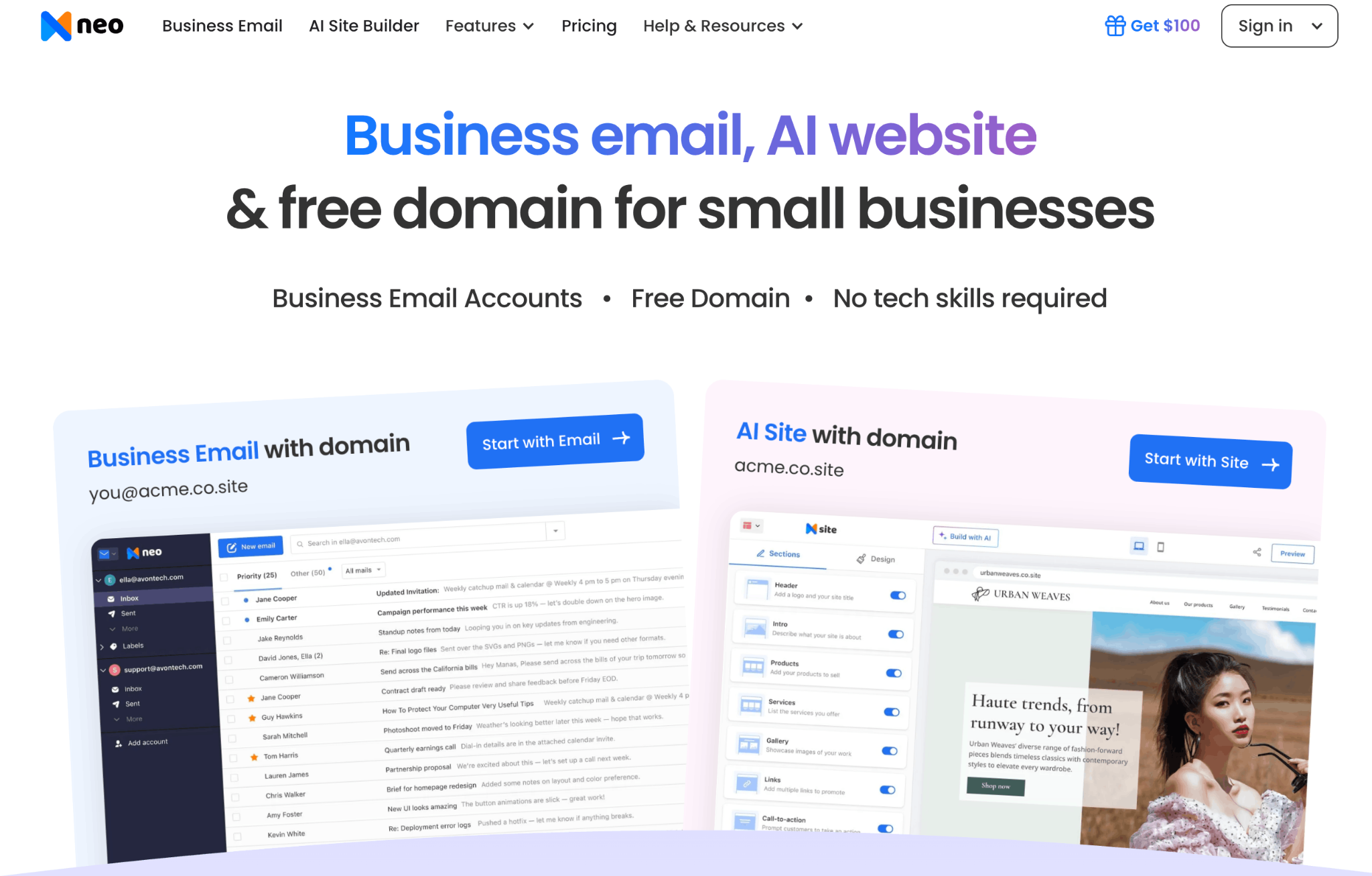
Step 2: Connect your own domain or get a new one
Choose whether to link a domain you already own or pick a new one for your business. If you don't have a domain yet, every Neo Mail plan includes one free.
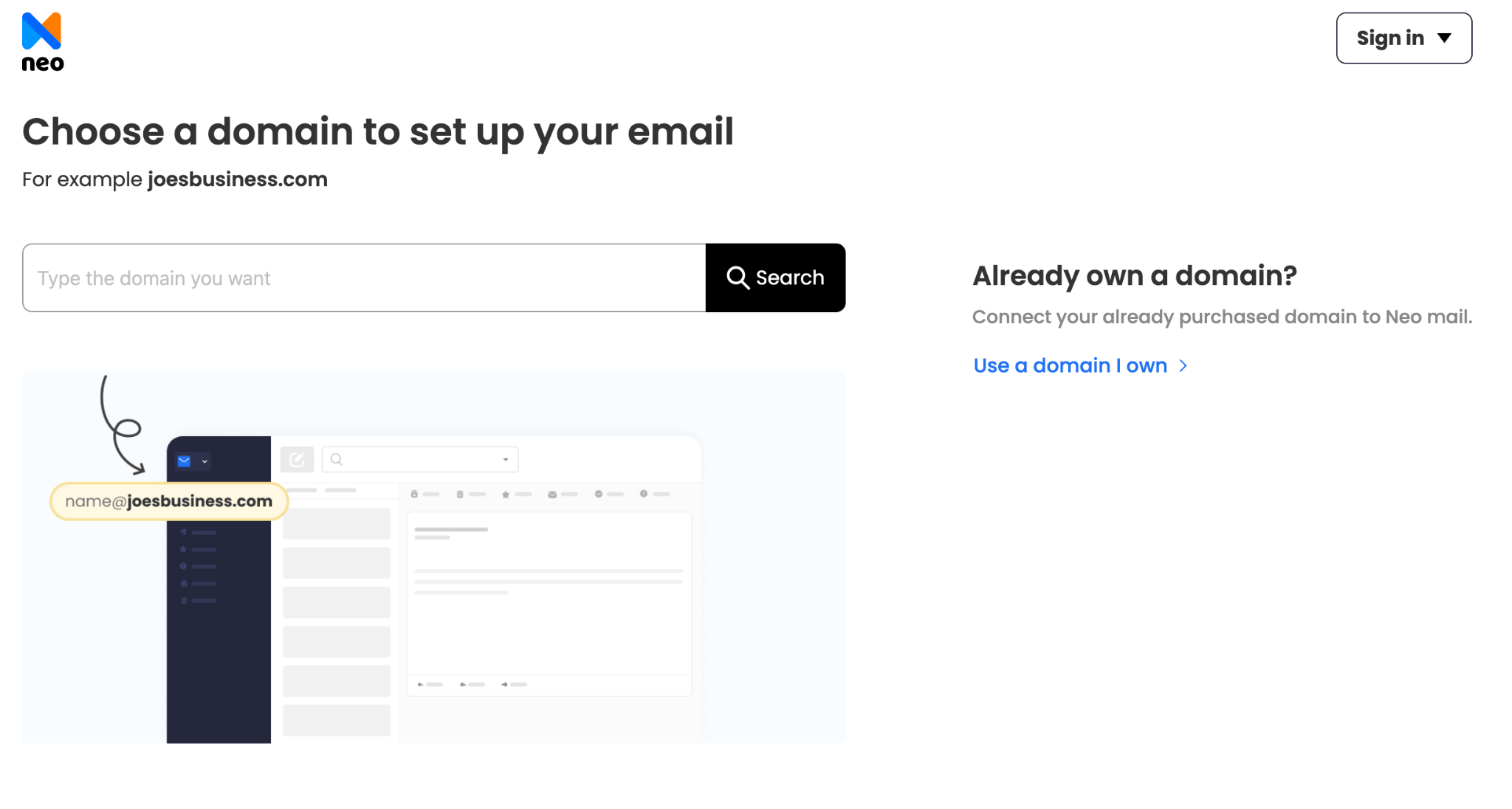
Step 3: Create your main business address
Set up your first mailbox, such as yourname@yourbusiness.com or hello@yourbusiness.com.
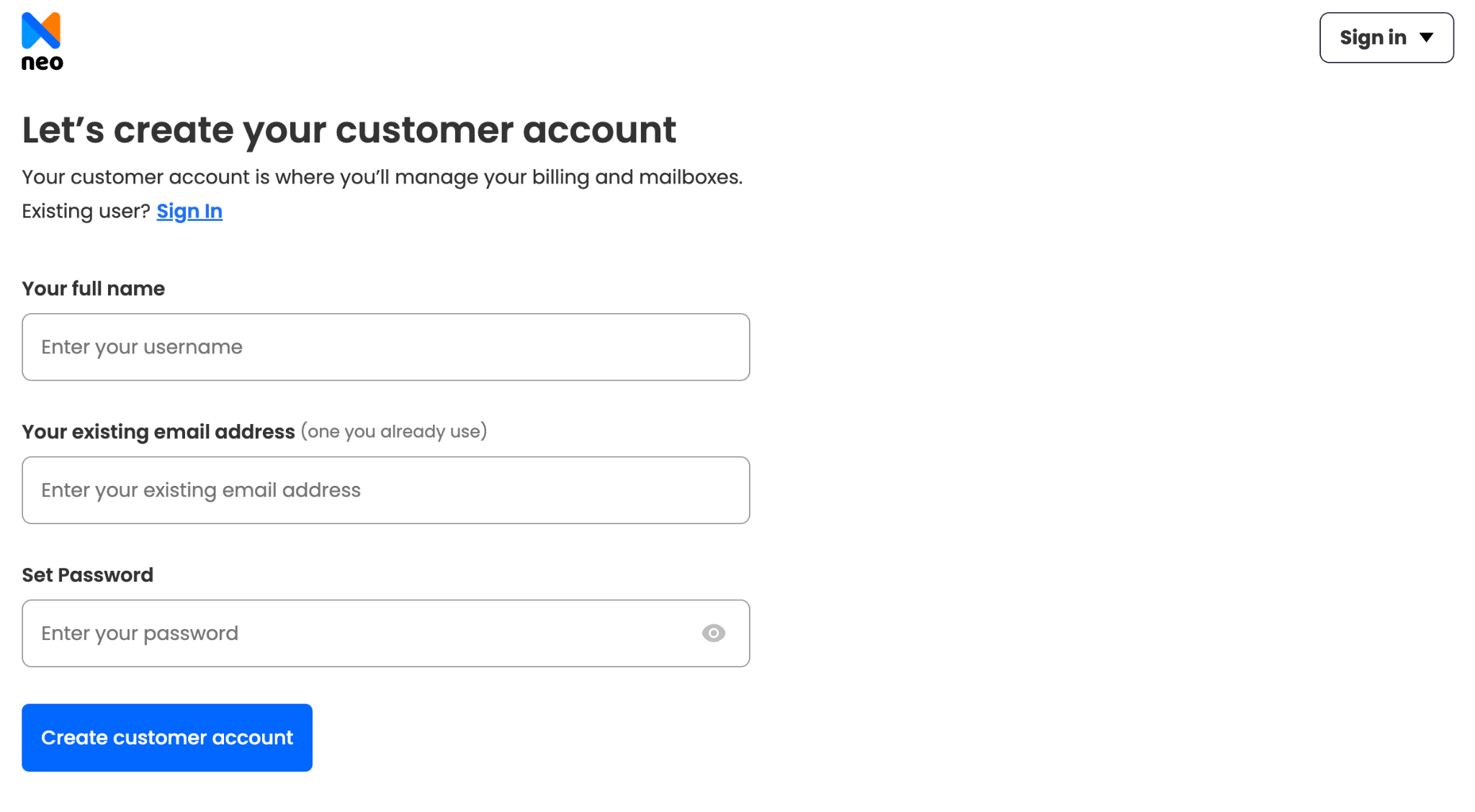
Step 4: Add mailboxes for your team
Create extra addresses for teammates or specific jobs, such as sales@yourbusiness.com, support@yourbusiness.com, or billing@yourbusiness.com.
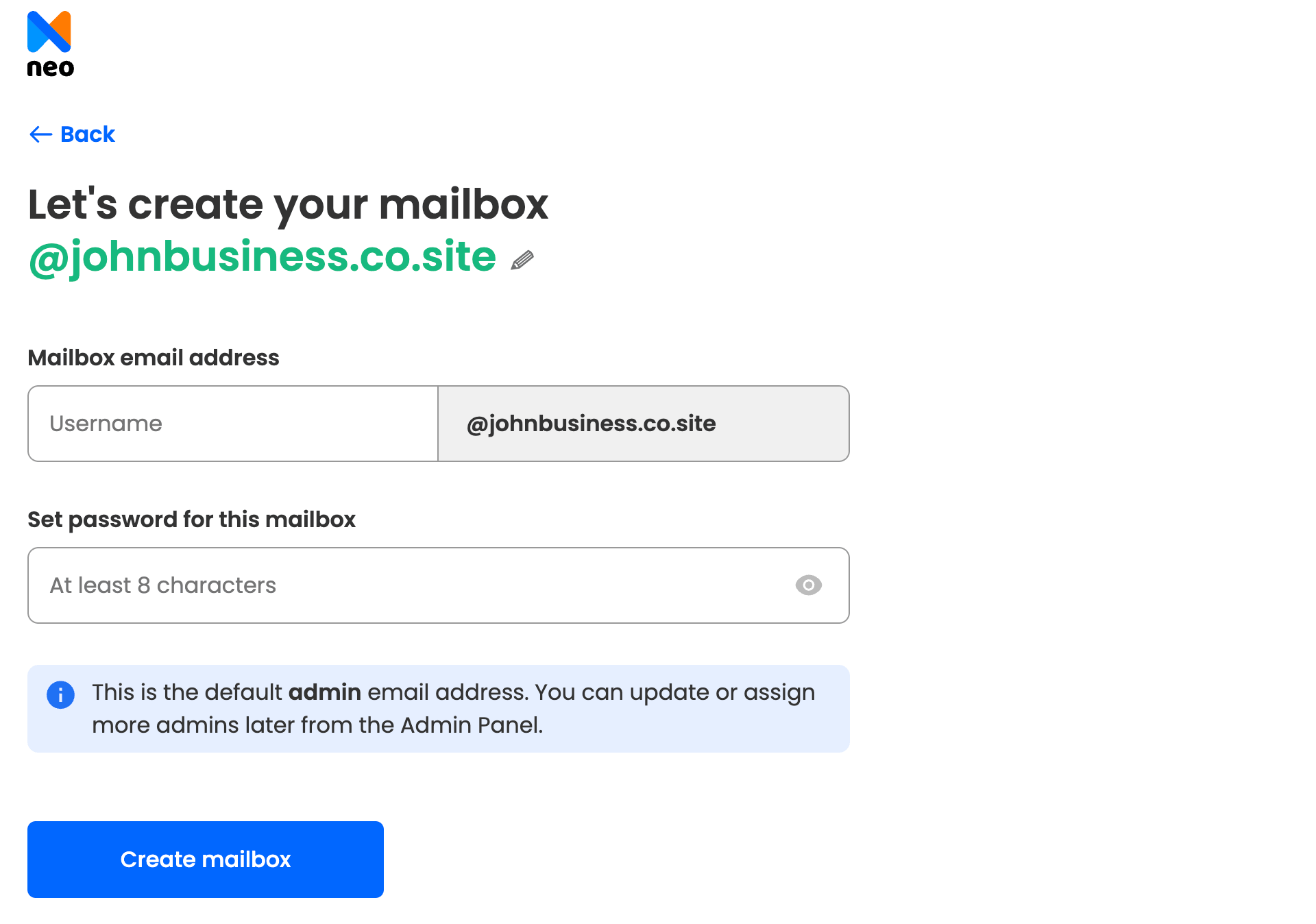
Step 5: Choose a plan and pay
Select the Neo Mail plan with the storage and features you need. Complete the payment to activate your account and start using your new business email.
2. Cloudflare Email Routing: made for receiving mail on a domain you own
Cloudflare Email Routing forwards mail sent to your domain into an inbox you already use, for $0. You point your domain's MX records to Cloudflare, and it passes each message to a verified address, such as your Gmail inbox. A top answer on Reddit's r/Entrepreneur suggests exactly this for a $0 start.
Cloudflare Email Routing can't send email. Replies go out from your personal address unless you set up a separate sending service. One r/CloudFlare user put it simply: "replying professionally is a whole other problem."
Forwarded mail can also land in spam. Forwarding changes the path a message takes, so the receiving inbox may fail its sender checks. Owners report that forwarded mail reached Gmail spam even with correct records. A Gmail filter set to "Never send it to Spam" for your domain address helps. It doesn't fix mail you send to other people.
How to Set up Cloudflare Email Routing
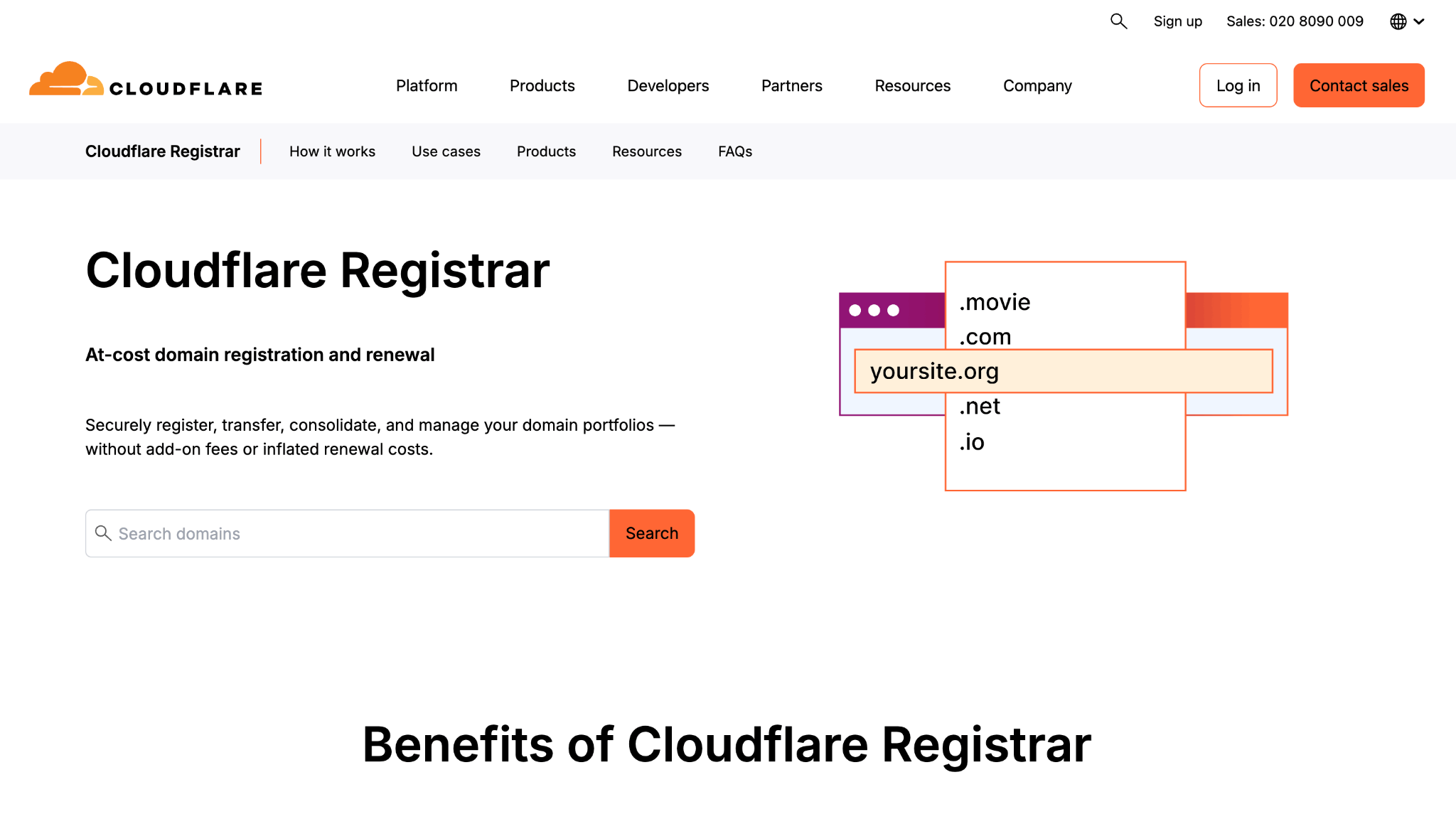
Step 1: Move your domain's DNS to Cloudflare
Email Routing only works on domains that use Cloudflare DNS. Add your domain to a free Cloudflare account and point its nameservers to Cloudflare.
Step 2: Turn on Email Routing for your domain
In the Cloudflare dashboard, open Email Routing, select Onboard Domain and choose your domain. Cloudflare adds the MX, SPF and DKIM records for you.
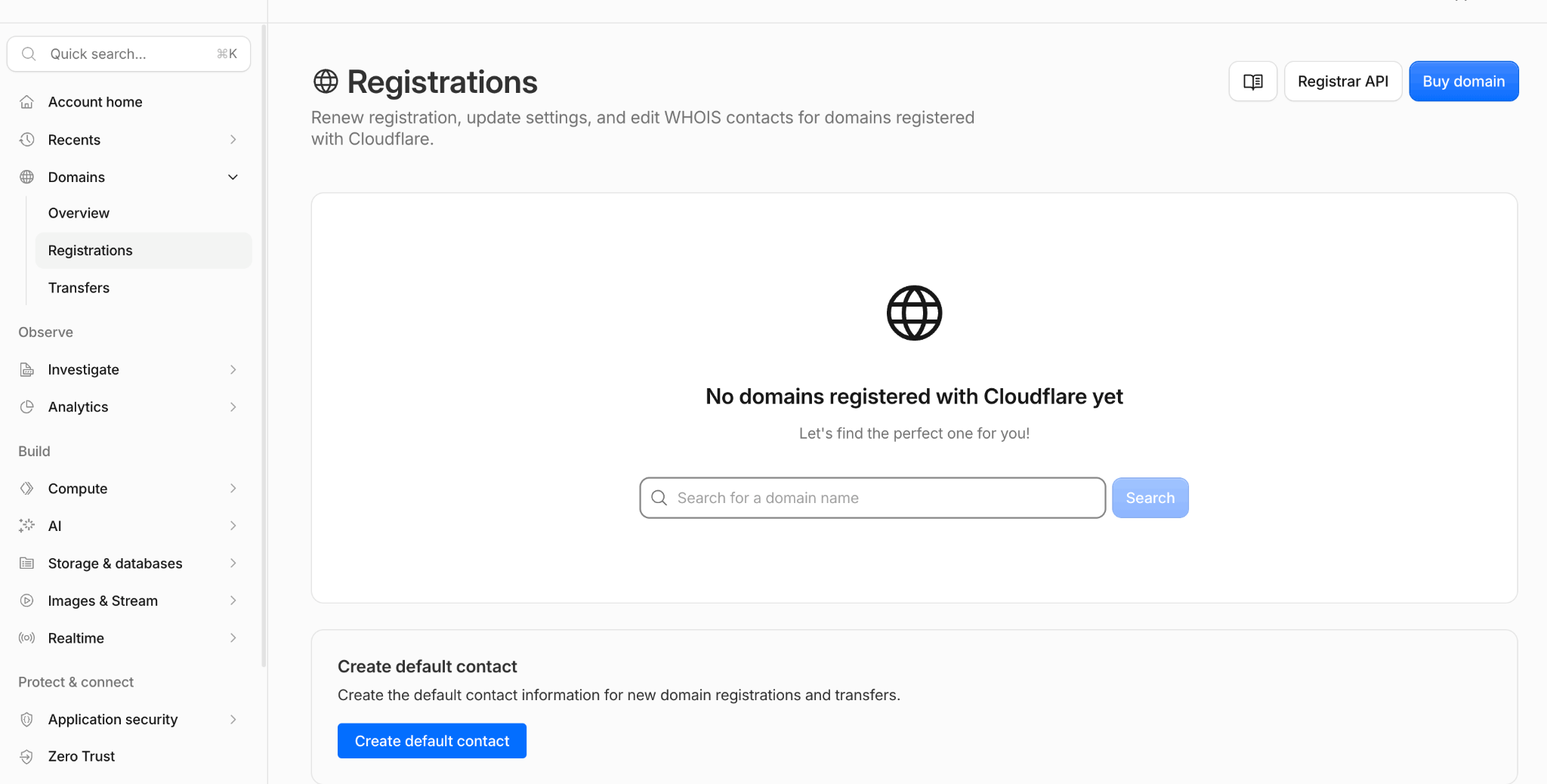
Step 3: Add and verify the inbox that receives your mail
Under Destination Addresses, enter the inbox that should receive your mail, such as your Gmail address. Open the email Cloudflare sends there and select Verify email address.
Step 4: Create a routing rule
On the Routing Rules tab, create a rule for each address you want, such as hello@yourbusiness.com, and set it to forward to your verified inbox.
Step 5: Send a test email
Send a message to your new address from a different account and check that it arrives. Check the spam folder too, because forwarded mail can land there.
What changes for Gmail "Send as" in January 2027?
Gmail ends "Send as" for addresses outside Google in January 2027. Gmail is also removing Gmailify and POP, the feature that pulls mail from other accounts into Gmail. New setups may already be restricted in late 2026. Google Workspace "Send as" is not affected.
The popular "Cloudflare plus Gmail Send as" workaround stops working when this change lands. Google suggests three options instead: the other provider's own app or website, a desktop mail app using IMAP and SMTP, or the Gmail mobile app. See Google's notice on the Gmail changes for the full timeline.
3. Google Workspace and Microsoft 365 trials: right for teams that want office apps
Google Workspace and Microsoft 365 offer free trials, not free plans. Google Workspace gives 14 days free, and Microsoft 365 gives one month. After the trial, you pay for each user. Both sign-up flows ask for a domain, so have one ready or buy one during setup.
Google Workspace is right for teams that already work in Google Docs and Drive. Microsoft 365 is right for teams that live in Word, Excel and Teams. Both include email, but most of the price pays for the office apps. For a team that only needs email, that is a lot of extra software.
How to Set up Google Workspace
Step 1: Start the free trial
Go to the Google Workspace website, select Start free trial, and enter your business name, team size and country.
Step 2: Use your domain or buy one
Enter a domain you already own, or buy a new one during sign-up.
Step 3: Create your admin account
Choose the username and password for your first address, such as yourname@yourbusiness.com. This account becomes the admin for your team.
Step 4: Verify your domain
In the setup tool, copy your verification code and add it as a TXT record at your domain host. Google usually confirms the record within an hour.
Step 5: Activate Gmail
In the Admin console, go to Account, then Domains, then Manage domains, and select Activate Gmail. Add the MX record smtp.google.com at your domain host. New MX records can take up to 72 hours to work.
Step 6: Add users and choose a plan
Create a mailbox for each team member, then pick a plan and add billing before the 14-day trial ends.
For full details, take a look at the Gmail account for business.
How to Set up Microsoft 365
Step 1: Start the one-month trial
Choose Microsoft 365 Business Basic on Microsoft's website and start the free trial. You need a credit card to sign up.
Step 2: Create your admin account
Enter your business details and create your admin sign-in. Microsoft gives you a starter onmicrosoft.com address until your own domain is connected.
Step 3: Add your domain
In the Microsoft 365 admin center, go to Settings, then Domains, and select Add domain. Enter your domain and select Use this domain.
Step 4: Verify that you own the domain
Add the TXT record Microsoft shows at your domain registrar, then select Verify. If your registrar supports Domain Connect, Microsoft can add the record for you.
Step 5: Add users before you move your mail
Create a mailbox for everyone who needs one. Microsoft recommends adding users before the MX record, so no email is lost during the switch.
Step 6: Add the DNS records
Add the MX and other records Microsoft lists at your registrar, then select Continue and Done. Email for your domain then starts arriving in Microsoft 365.
For full details, take a look at Outlook business email pricing.
4. Hosting or domain bundles: right only if you accept the renewal price
Hosting and domain bundles often include email at no cost in year one. After that, the email renews at the full price, and many buyers only notice when the bill arrives.
Buying best business email from a web host or domain registrar is usually not the right route. Their email is often an add-on resold from another company, so features are limited. Support goes through the reseller, and spam protection is often weaker. A top answer on Reddit's r/Hosting is blunt: "Don't use reseller hosting for business email."
5. Mail.com shared domains: right for a free vanity address
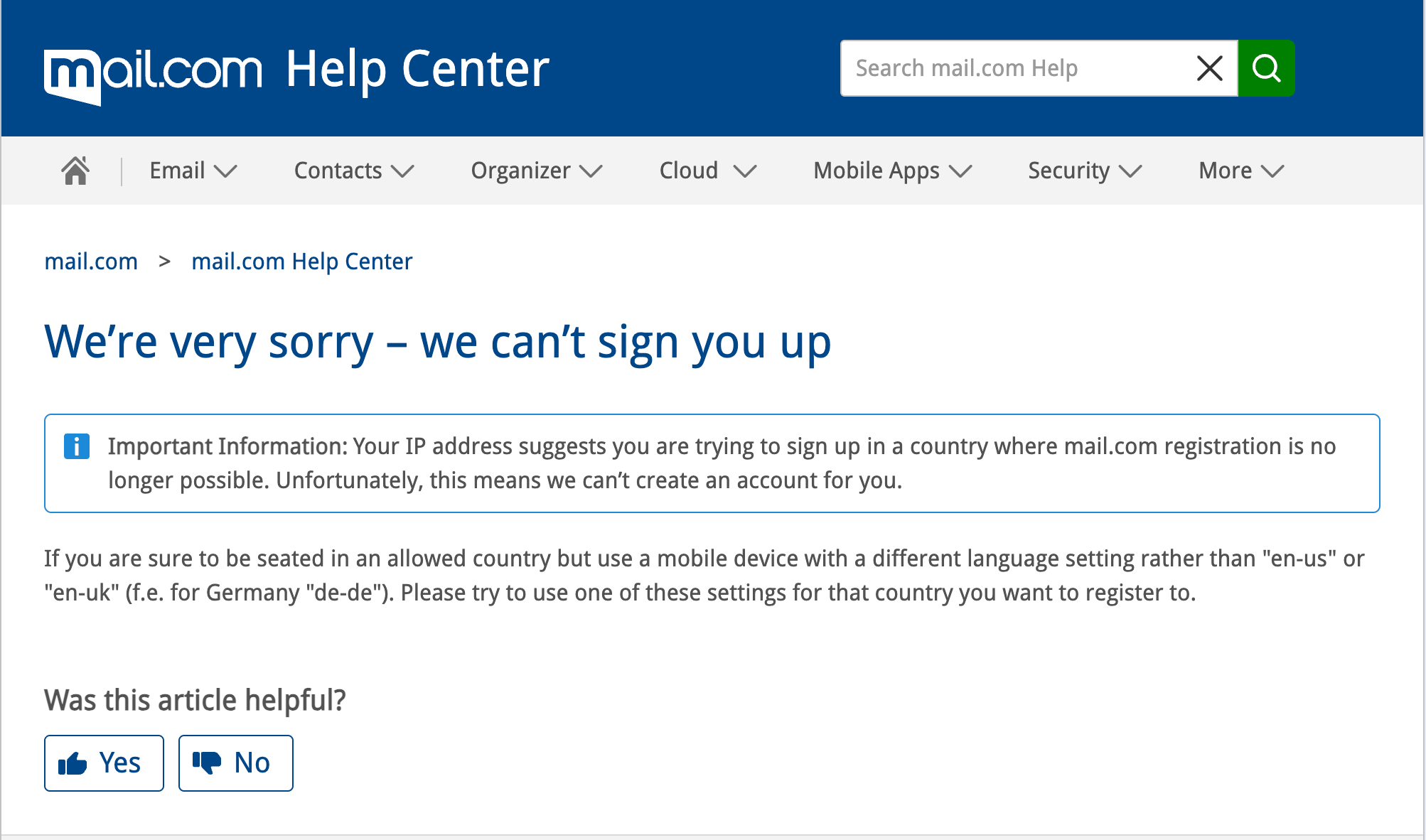
Mail.com gives you a free address on one of more than 100 shared domains, such as consultant.com or engineer.com. You can send and receive, and the account is free.
“ It still ranks as a free email option across the internet, but when we tested it recently, Mail.com's sign-up wasn't working and repeatedly blocked new accounts from being created.”
Mail.com's domains belong to Mail.com, not to your business. A customer sees yourname@consultant.com, not your brand name. That works for a freelancer testing an idea. It looks less professional for a business that wants customers to recognize its name. Moving to a branded address later also means updating every contact, invoice and profile that shows the old one.
Neo Mail's research team verified these details in September 2026, on each provider's official website.
Sources: Cloudflare Email Routing, Mail.com domains, Google Workspace pricing.
With the trade-offs clear, the choice comes down to your situation: what the address needs to do.
Which free business email option fits your situation?
Forwarding fits owners who only receive mail, and a paid mailbox with a trial fits teams that send. Answer these five questions in order to find your match:
- Do you only need to receive mail on a domain you own? Cloudflare Email Routing covers that for $0.
- Do you need to send from a branded address with a small team? Neo Mail fits, and it includes a free domain for teams that still need one.
- Does your team already work in Google Docs or Microsoft Word? Start a Google Workspace or Microsoft 365 trial.
- Is a free address on a shared domain enough for now? Mail.com costs nothing.
- Can you set it up and use it without help? Pick the option your team can run every day, not just the cheapest on paper.
Free options stop being enough when you need to send from your domain, add a second person, or keep mail out of spam. At that point, compare low-cost mailboxes in our guide to inexpensive email hosting services.
Whichever option you choose, spam is the next thing to plan for, because setup decides whether your mail arrives.
How do you set up email on your domain and keep it out of spam?
Setting up email on your domain takes four DNS changes and one test. DNS records are the settings that tell the internet how to handle your domain. Your provider shows the exact values to copy.
- Verify the domain: Add the TXT record your provider gives you. It proves you own the domain.
- Point mail to your provider: Add MX records, the settings that tell the internet where to deliver your email. See Cloudflare's explainer on MX records.
- Add sender checks: Set up SPF, DKIM and DMARC. These records prove your mail really comes from your domain.
- Send a test: Send an email to a Gmail, an Outlook and a Yahoo address.
The three-inbox test shows whether your mail lands in the inbox or in spam. If a message lands in spam, check that SPF and DKIM pass in the message details. Then wait a day and test again, because DNS changes can take hours to spread.
Your provider's own tools matter here as much as its price. Neo Mail includes custom DKIM and advanced anti-spam on every plan. [Neo data needed: Neo Mail's average time from sign-up to first sent email]
FAQs
Can I use Gmail with my own domain for free?
No, not for sending after January 2027. Free Gmail can still receive mail forwarded from your domain. But Google is ending "Send as" for outside addresses, so replies from your domain address will need another service. The Gmail mobile app will still work with other email accounts.
Do I need a business email for my LLC?
Yes. An LLC is better served by an address on its own domain than by a personal Gmail account. A domain address ties email to the business, not to one person's personal account. Freelancers on Reddit often say buyers don't take sales pitches from Gmail addresses seriously. A branded address makes a small company look established.
What is the cheapest way to have a business email?
The cheapest way to have a business email is Cloudflare Email Routing at $0, but it only receives mail. For a mailbox that can send, you need a paid plan, usually priced per mailbox per month. Our guide to business email pricing compares more providers.
Can I get a free business email without a domain?
Yes. Mail.com gives you a free address on a shared domain, such as yourname@consultant.com. The address carries Mail.com's domain name instead of your business name. Our guide to free business email without a domain covers more options.
Can I use a custom domain email on my phone or in Outlook?
Yes. Paid mailboxes usually connect to Outlook and phone mail apps through IMAP and SMTP, the standard settings for reading and sending mail. Google Workspace and Microsoft 365 also have their own phone apps. Mail forwarded by Cloudflare Email Routing appears in whichever inbox receives it, such as the Gmail app.
Is a free business email secure enough for a small business?
A free email account can be secure, but it is easier to fake. Gmail made up 20% of sender domains in malicious emails in the first half of 2025, according to Hoxhunt's 2026 threat report (Source: Forbes Advisor). An address on your own domain, with SPF, DKIM and DMARC, is harder for scammers to copy.
Get Business Email
No domain name required
Get Business Email
With Domain
